Clone Hero ZIP vs SNG: Which Download Format?
This Clone Hero ZIP vs SNG comparison helps you choose a song format that fits your game version, source and library workflow. ZIP is a general archive; SNG is a one-file package for supported workflows.
Choose SNG for convenience, ZIP for broad compatibility
Download SNG when the chart source offers it and your current Clone Hero workflow supports the one-file package. Download ZIP when you want a conventional archive that can be inspected or used with older tools, then extract it before scanning.
Do not rename .zip to .sng or assume every file with a new extension was converted. Packaging changes require a compatible tool or a fresh download in the desired format.
ZIP vs SNG comparison
The format question is practical: ZIP exposes the song folder for inspection, while SNG keeps a supported song package compact. Check the current Clone Hero workflow before converting a library.
| Question | ZIP | SNG |
|---|---|---|
| What is it? | A general-purpose compressed archive | A purpose-built single-song container |
| Extract before use? | Yes, for the normal song-folder workflow | No, when supported directly by the game/workflow |
| Easy to inspect? | Yes; open the archive and view song.ini, notes and audio | Less convenient without compatible SNG tools |
| Library clutter | One folder plus several files per song | One visible file per song |
| Tool compatibility | Broad archive support | Requires SNG-aware game or utilities |
| Best choice | Manual inspection, editing and broad compatibility | Clean storage and straightforward import on supported setups |
When ZIP is the better Clone Hero download format
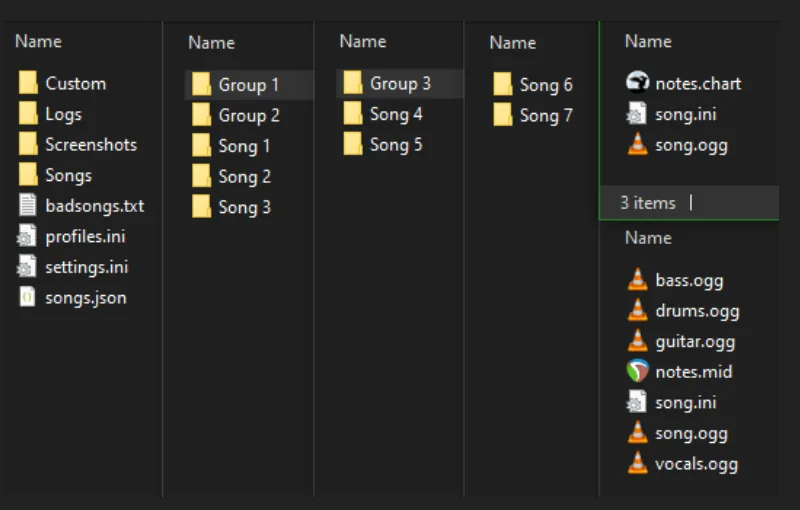
ZIP is familiar, transparent and easy to inspect. You can open the archive before extraction and confirm that a chart includes song.ini, a notes file and audio. This is useful when diagnosing a community download, editing metadata or checking whether a pack contains the expected folder layout.
The important step is extraction. Clone Hero's traditional song-folder workflow expects the real files inside a folder, not an unopened ZIP sitting in Songs. Extract with Windows Explorer, Finder or a trusted archive utility, then move the resulting song folder to a configured song path.
ZIP is also a sensible choice when another utility does not understand SNG or when an older chart collection was published only as an archive. RAR and 7z follow the same basic idea: they are archives and normally need extraction before scanning.
When SNG is the better Clone Hero download format
SNG keeps one song's metadata, chart and assets in one package. That reduces the number of loose folders and files in a large library and can make moving or backing up individual songs simpler. When a current source provides an SNG download specifically for Clone Hero-compatible use, leaving it as SNG is usually the cleanest route.
The tradeoff is that ordinary archive tools may not show the contents in the same friendly way as ZIP. Metadata edits, audio replacement and manual troubleshooting may require an SNG-aware utility or converting from a known source. Do not use a random “converter” executable from an untrusted page merely to change the extension.
SNG support can also vary across games and utility versions in the broader rhythm-game ecosystem. If you maintain one library for several games or authoring tools, confirm that every consumer supports the container before standardizing on it.
Clone Hero SNG files are not simply ZIP files with a different extension. Leave them as SNG when your setup supports them, and use an SNG-aware tool only when the source and workflow justify it.
Use this decision checklist
- 1
Check the source options
If only one format is offered by a trusted chart source, use that format rather than finding an unknown reupload.
- 2
Check your game and tools
Choose SNG only when the Clone Hero version and any library utilities you use support it.
- 3
Decide whether you edit charts
ZIP/extracted folders are easier to inspect and edit manually. SNG is cleaner when you mainly play and archive songs.
- 4
Test one song
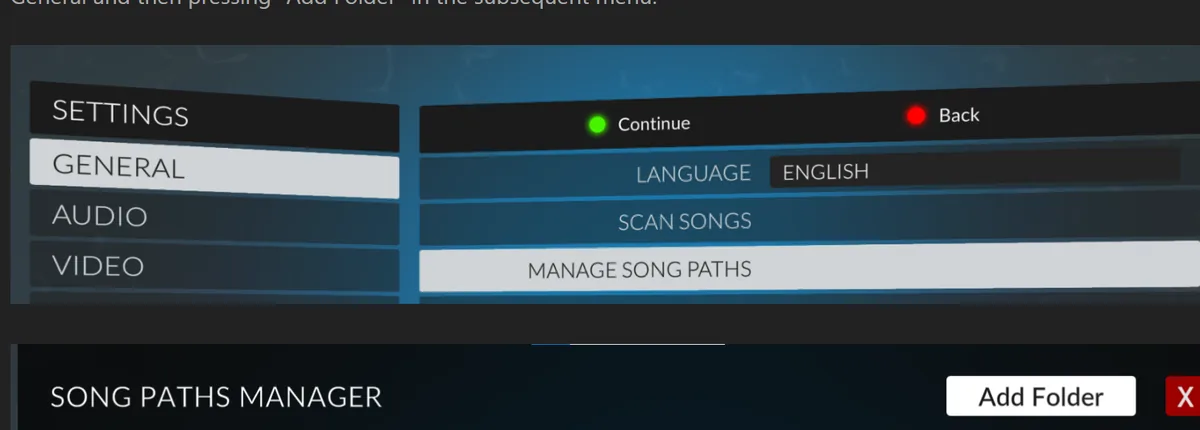
Download a single chart, add it to the library and scan before converting a large collection.
- 5
Keep the original source
Record where the chart came from and keep backups before bulk conversion or repackaging.
Format names do not prove a download is safe
Neither ZIP nor SNG guarantees quality, permission or safety. Evaluate the chart page, charter, metadata and destination. A song package should not demand administrator access or install unrelated browser software. If the download is an EXE while the page claims it is only a chart, stop and return to the original source.
Large packs deserve extra care because a single archive can contain thousands of files from many sources. Read the pack documentation, keep the download outside your working Songs folder until extraction finishes, and scan in batches. See the Clone Hero song packs guide for a larger-library workflow.
Once you have the right format, follow how to add songs to Clone Hero for the folder and scan steps.
Clone Hero ZIP vs SNG example workflows
Choose ZIP for a chart you plan to inspect or edit. Download the archive to a staging folder, open it with a trusted archive utility, confirm that song.ini, chart data and audio are present, then extract the actual song folder. Copy that folder into a configured song path and run Scan Songs. If metadata needs correction later, the extracted files are directly available without an additional unpacking tool.
Choose SNG for a stable chart you mainly want to play, move and back up as one unit. Download the SNG file from a source that explicitly offers the format, place it where your compatible Clone Hero setup expects song content, and scan. Keep the source page in your library notes because one compact filename may reveal less charter and version context than an organized extracted folder.
For a mixed library, do not force every file into one format. A practical Clone Hero ZIP vs SNG policy can keep editable or older charts extracted while storing supported finished releases as SNG. Consistent parent folders and source records matter more than visual uniformity in File Explorer. Test search, scanning and backups with both formats before converting an established collection.
When sharing troubleshooting details, state the exact format. “The song does not work” leaves out whether the game is reading an unopened ZIP, an extracted folder or an SNG container. That single fact changes the next diagnostic step and prevents advice that applies to a different packaging workflow.
ZIP and SNG questions
Can Clone Hero read ZIP files without extraction?
For the normal song-folder workflow, extract ZIP, RAR and 7z archives. Clone Hero needs access to the chart, metadata and audio files inside the song folder.
Should I unzip an SNG file?
No. SNG is not simply a ZIP with another name. Leave it as SNG when your compatible Clone Hero setup supports the package.
Is SNG smaller than ZIP?
File size depends on the contained audio and compression. The main SNG benefit is a single-file package, not a guaranteed dramatic size reduction.
Can I rename ZIP to SNG?
No. Renaming an extension does not convert the internal package format.
Which format is better for editing song.ini?
An extracted ZIP folder is easier for manual inspection and editing. SNG may require compatible tools to access or rebuild its contents.
Why does an SNG song not appear?
Confirm that your game version supports the package, the file is complete and the folder is in a configured song path. Re-download from the original source if corruption is likely.
Can Clone Hero read SNG files?
It depends on the current Clone Hero workflow and the package source. Keep an SNG file intact when supported and confirm the game can scan it before converting a library.
Where should I save a Clone Hero SNG file?
Use the song path expected by your compatible setup, keep the file outside the library until it is verified and run Scan Songs after placing it.
Sources and verification
Facts and download destinations were checked on August 12, 2026.