
Clone Hero Song Packs Download Guide
Choose a Clone Hero song packs download by setlist, genre, artist, instrument or difficulty, then install it in a controlled batch without turning one broken chart into a library-wide problem.
Use documented packs, not anonymous complete-library claims
A useful Clone Hero song pack page lists its tracks, charters, instruments, difficulty coverage, download size, format and update date. Curated community projects and maintained setlist spreadsheets are more transparent than a torrent or preloaded hard drive claiming to contain every song.
Download one pack at a time, extract archives when required, scan immediately and review badsongs.txt before adding the next collection.
Types of Clone Hero song packs
A pack is most useful when it makes a selection decision for you. Event packs may share authoring standards; genre packs keep browsing focused; beginner packs prioritize full difficulty and readable patterns. A giant unsorted dump does not provide the same value simply because the file size is larger.
Legacy setlist keywords are popular, but the chart project and the commercial soundtrack are not the same thing. Check who assembled the release and whether the destination explains how audio is handled. This site does not mirror commercial soundtrack archives.
The best Clone Hero song packs are not simply the largest archives. Prefer a visible setlist, named charters, instrument coverage, difficulty notes and a maintained project page.
| Pack type | Good for | What to verify |
|---|---|---|
| Community event pack | Consistent release standards and a defined theme | Event page, charter credits, instruments and final track list |
| Genre pack | Building a focused metal, pop, punk or classic-rock library | Genre scope, difficulty mix and duplicate songs |
| Artist or album pack | Playing a complete era or record | Audio source notes, chart authors and album version |
| Legacy game setlist | Recreating a Guitar Hero or Rock Band progression | Project provenance and rights to included audio |
| Beginner pack | Full-difficulty charts and approachable patterns | Easy/medium coverage rather than expert-only files |
Check a song pack before downloading
- Track list is visible before the download.
- Charters and project maintainers are credited.
- Supported instruments and difficulty coverage are explained.
- Total download size and archive format are stated.
- Release or update date is available.
- The destination is a normal archive or SNG collection, not an unknown installer.
- Duplicate or alternate chart versions are documented.
- Installation notes match a current Clone Hero release.
Install a Clone Hero song pack safely
- 1
Back up your current library
Preserve Songs, Custom and any hand-edited metadata before importing a large set.
- 2
Download outside the Songs folder
Keep the archive in a temporary download location until it is complete and inspected.
- 3
Extract archives once
ZIP, RAR and 7z need extraction. Preserve the pack's song folders rather than flattening every file into one directory.
- 4
Copy one pack
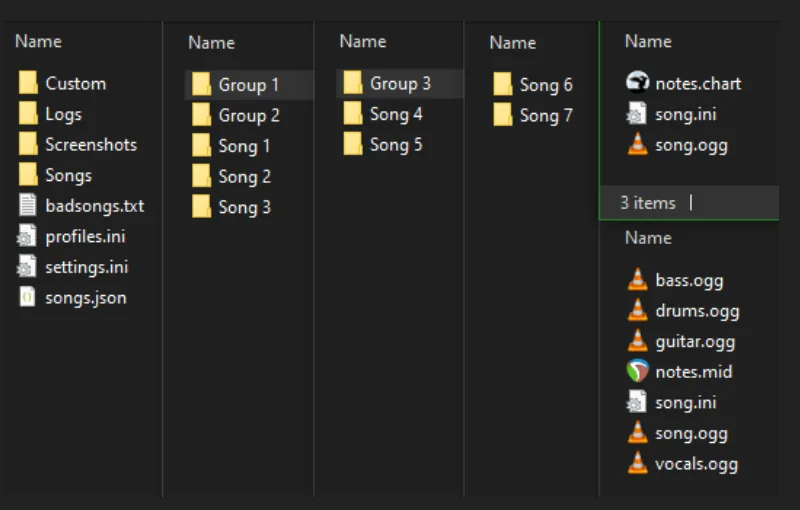
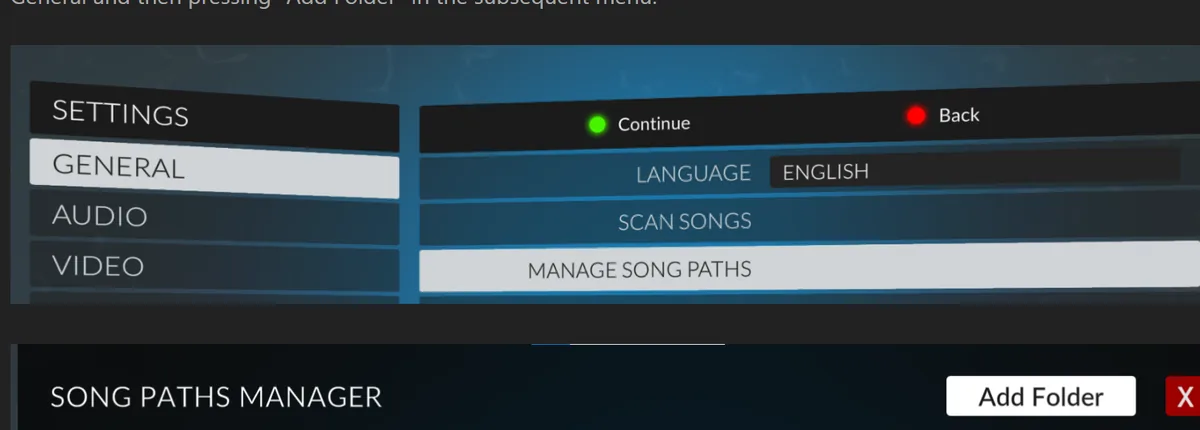
Move the organized pack folder into a configured song path. Group folders are useful for maintaining the pack identity.
- 5
Run Scan Songs
Scan immediately, record the expected song count and inspect badsongs.txt before importing another pack.
- 6
Test a sample
Play several songs with different instruments or difficulties so audio and chart coverage match the release notes.
How to use Clone Hero song pack spreadsheets
Community spreadsheets can organize years of setlists and releases, but a spreadsheet is an index rather than a guarantee. Check the document owner, last update, link destinations and any notes about superseded versions. A maintained row that points to the original project page is stronger than a copied mirror with no context.
Do not download every row at once. Pick a setlist, read its release notes and install it as a controlled batch. When two rows cover the same song, compare charter, instruments and difficulty instead of keeping accidental duplicates.
For individual searches, use the Clone Hero songs download guide. For package handling, use ZIP vs SNG before extracting or converting a full collection.
A Clone Hero song packs spreadsheet is an index, not a guarantee. Check its maintainer, last update, destination links and superseded rows; test one setlist before downloading every row.
Packs and download offers to avoid
Treat torrents, paid “complete” game drives, anonymous cloud folders and modified APK bundles with caution. They may be outdated, mix copyrighted recordings with community charts, omit author credits or include software unrelated to Clone Hero. The official game download comes from Clone Hero; song packs should not replace the game installer.
A preloaded hard drive also hides the work required to maintain the library. You may not know which versions are installed, where charts came from or how to update a broken song. A smaller, documented collection is easier to search, back up and repair.
If a pack page requires an executable downloader, browser extension or administrator permission, return to the original chart project and look for a normal archive.
Maintain a clean Clone Hero song pack library
Keep a simple inventory after every Clone Hero song packs download. Record the pack name, project page, release version, format, installed folder and expected track count. That note makes it possible to identify an outdated pack, locate original credits or restore the same collection after moving to another computer. A text file beside the pack folder is enough; the important part is preserving provenance that would otherwise disappear when an old spreadsheet link changes.
Use group folders to preserve the identity of each setlist without flattening song files. A structure such as Songs/Community Packs/Pack Name keeps individual chart folders intact while making batches easy to enable, move or remove. Do not rename core files inside each song unless you understand the chart format. Organizational parent folders are safer than bulk-editing thousands of song.ini entries.
Run a duplicate review before another large Clone Hero song packs download. Search by title and artist, then compare charter, album version, instrument support and difficulty coverage. Some duplicates are useful alternatives, but accidental copies waste storage and make scores appear under more than one entry. Keep intentional alternatives clearly labeled and remove exact duplicate folders from active song paths.
Schedule backups around library changes rather than waiting for a drive problem. Back up the Songs directory and your inventory before installing a major setlist, after completing metadata cleanup and before migrating Clone Hero. Test that a few files can be restored from the backup. A backup that has never been opened is only an assumption, while a small restore test proves the collection can be recovered.
Clone Hero song pack questions
Where can I download Clone Hero song packs?
Look for maintained community project pages, curated event releases and transparent setlist indexes. The pack should list tracks, authors, instruments, format and update information before download.
Can I download every Guitar Hero and Rock Band song in one pack?
Large legacy setlist projects exist, but commercial audio rights and project provenance vary. Avoid anonymous “everything” torrents and use documented sources you are permitted to access.
How do I install a ZIP song pack?
Extract the ZIP, preserve each song's folder, copy the organized pack into a configured song path and run Scan Songs.
Why are songs missing after installing a pack?
Compare the scanned count with the pack list, review badsongs.txt, check nested archives and confirm the song path. Install one pack at a time to isolate failures.
How much storage does a song pack need?
It varies with song count, audio quality, stems and video. Plan for the extracted library plus a separate backup, not only the compressed download size.
Are Clone Hero beginner packs different?
A useful beginner pack emphasizes full-difficulty charts and approachable patterns. Expert-only collections may be popular but are not automatically beginner-friendly.
What should a Clone Hero song packs spreadsheet show?
A useful spreadsheet identifies the pack, maintainer, track scope, format, destination, update status and notes about duplicates or audio rights.
Sources and verification
Facts and download destinations were checked on August 12, 2026.